
Sub-agent
UGC Ad AI
UGC means "user generated content": the kind of video where a person talks to the camera about a product, like a customer review. UGC Ad AI makes these videos for you with AI actors. The actor's lips move in time with the words.
You can open UGC Ad AI from its card on the Create tab, or ask in the Create chat ("Make a UGC video about our new sunscreen"). The chat opens UGC Ad AI for you, because you need to pick the actor and voice yourself.
How do I make a UGC video?
There are three steps at the bottom of the screen:
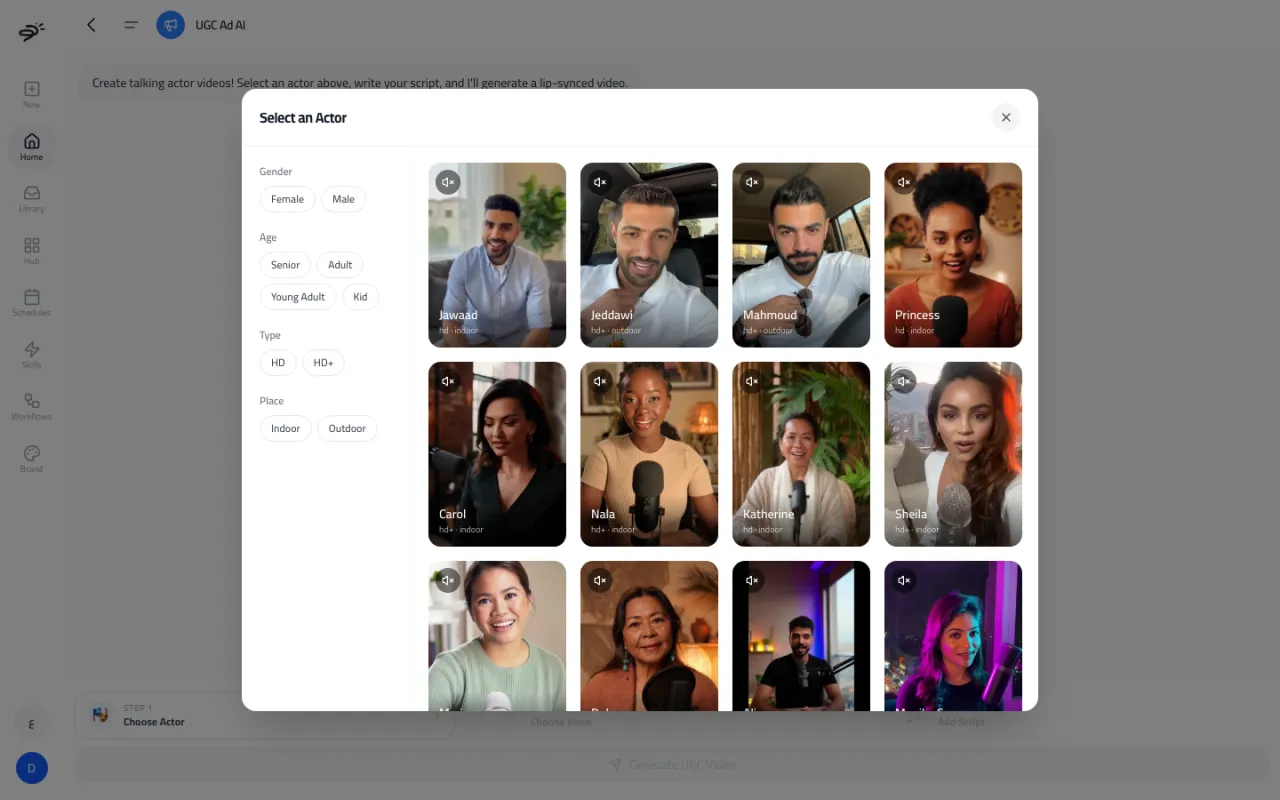
- Choose Actor. Browse the actors and filter them by gender, age, type (HD or HD+), and place (indoor or outdoor). Each actor has a preview video. Select the speaker icon to hear it.
- Choose Voice. Pick the voice that will speak your script.
- Add Script. Type what the actor should say. Posta turns it into speech with the voice you chose. You can also upload your own audio instead.
Then select Generate UGC Video. Rendering takes a few minutes. You can leave the page while it works. The finished video shows in the chat and in your Library.
How many credits does it use?
20 credits for each second of video. A 30 second video uses 600 credits. If a video fails, the credits go back to your balance.
Tips for better UGC videos
- Write the way people talk. Short sentences sound more natural and give the best lip-sync.
- Start with a hook in the first two seconds, like a question or a surprising fact.
- Keep one idea per video. 15 to 30 seconds works well for most ads.
Last updated September 25, 2026