
Posta AI Documentation
Posta AI is an AI marketing team for online stores and brands. You tell Posta what you need in plain words, like "audit my website" or "make an ad for my new serum". Posta picks the right AI agent for the job, does the work, and shows you the result. Nothing that spends your money or changes a live ad campaign happens until you approve it.
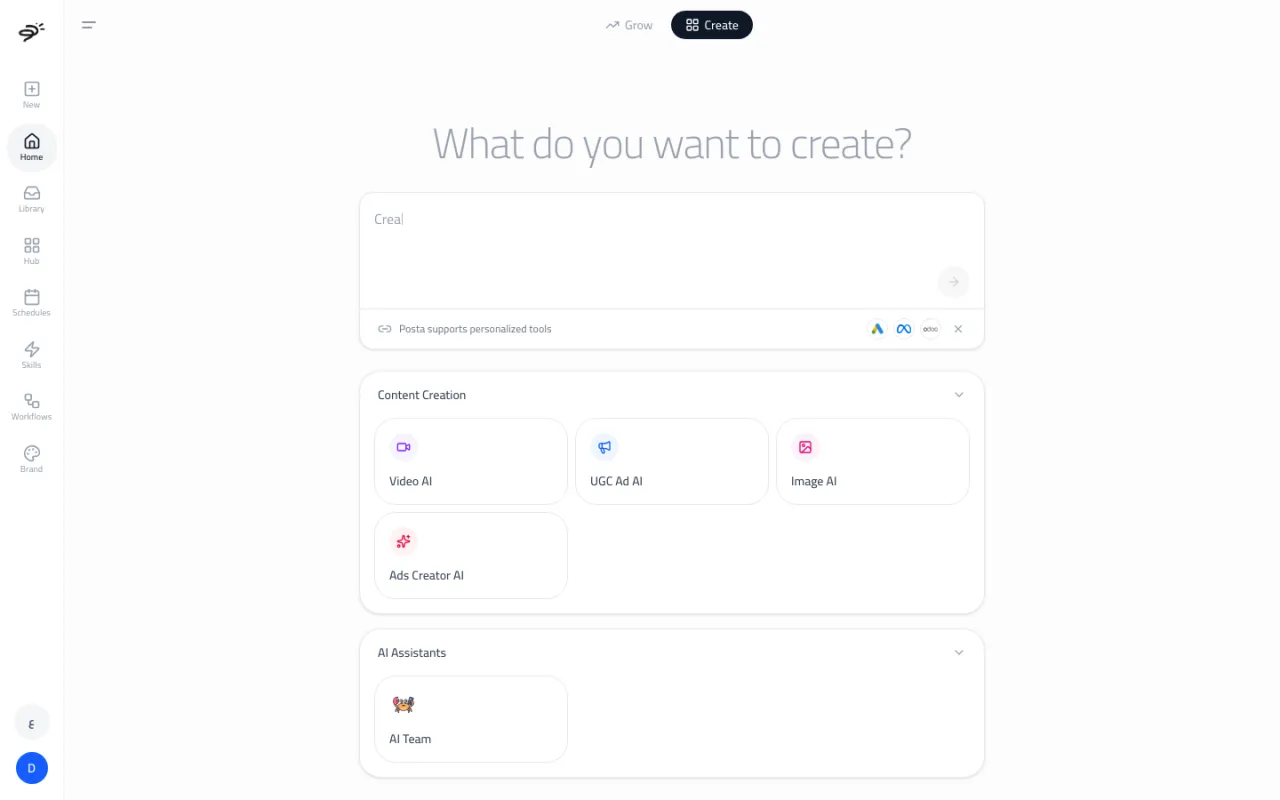
How is Posta organized?
Posta has two main agents. Each one lives on its own tab in the workspace.
- Create is the orchestrator chat. You describe what you want, and it hands the work to the right specialist. It answers questions, makes images and videos, writes ads, audits websites, and runs tasks in your other apps.
- Grow is the Media Buyer. It plans, launches, and manages your paid ad campaigns. It also gives you quick access to ad audits and website (SEO) audits.
Behind these two main agents are sub-agents. Each sub-agent is an expert in one thing: auditing ad accounts, checking a website, making images, making videos, making UGC-style videos, building ad sets, or working across your apps. You can talk to a sub-agent through Create or Grow, or open it directly.
Where do I start?
- Getting started: create your account, finish the short setup, and run your first request.
- The workspace: a quick tour of every part of the app.
- How agents work: the main agents, the sub-agents, and the safety rules they all follow.
- Integrations: connect your ad accounts, store, and other apps.
- Plans and credits: what is free, what needs a paid plan, and what things cost.
What does Posta remember?
Posta saves your connected accounts, your brand profile (your colors, fonts, and tone of voice), your chat history for each agent, your library of images and videos, and your workflows and schedules. You can change or delete any of these at any time.
Which languages does Posta support?
The workspace works in English and Arabic. Arabic uses a right-to-left layout. Switch languages with the language button at the bottom of the sidebar.
Last updated September 25, 2026