
Getting started with Posta AI
This guide takes you from a new account to your first result in about ten minutes.
How do I create an account?
- Go to posta.ai and select Start free.
- Sign up with Google, or with an email address and a password.
- If you used email, open the email we send you and confirm your address. You need to do this before you can use the workspace. Google sign-ups are confirmed automatically.
Every new account gets 50 free credits once. They never expire. See Plans and credits for what they cover.
What happens during setup?
After you sign up, Posta asks a few short questions. There are five steps, and you only see them once.
- How did you find us? Pick the closest answer.
- What's your role? For example, CEO or manager.
- What sector is your company in? Pick one or more, or skip.
- Connect your marketing tools. Connect your ad accounts, store, analytics, email, and social apps. You can skip this and connect later from the Hub.
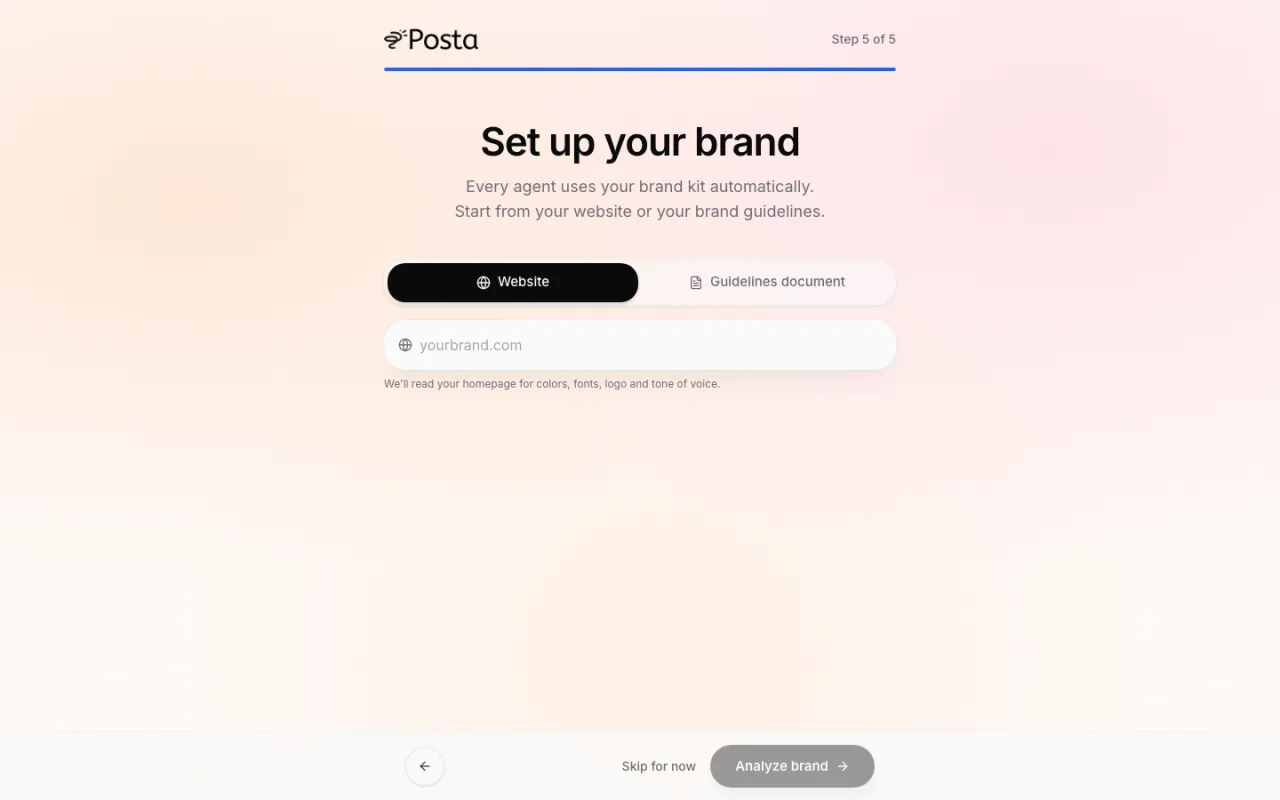
- Set up your brand. Give Posta your website or your brand guidelines file, and it builds your brand profile. You can skip this too.
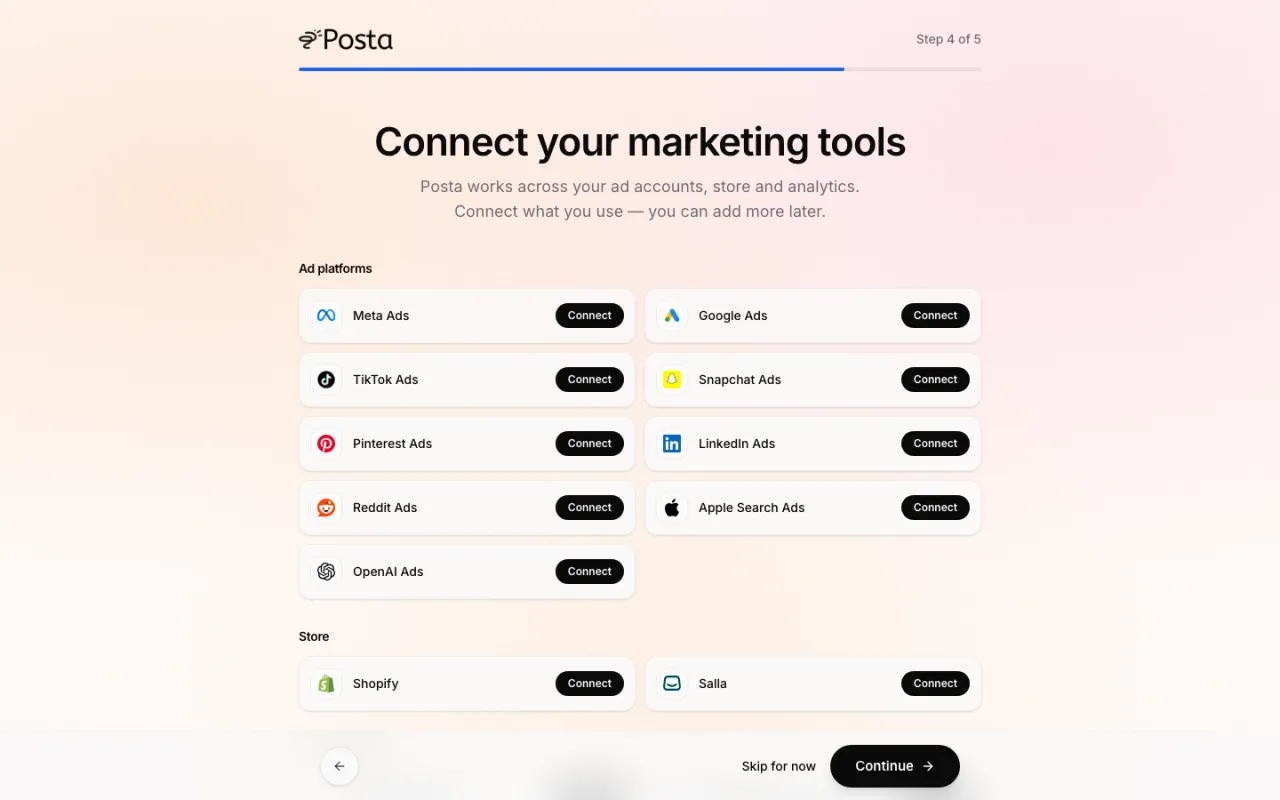
If you close the page halfway, Posta remembers where you stopped and takes you back to that step.
How do I set up my brand?
In step 5 (or later from Brand in the sidebar), choose one of two options:
- Website: type your website address. Posta reads your homepage and pulls out your colors, fonts, logo, and tone of voice.
- Guidelines document: upload your brand guidelines as a PDF, Word (DOCX), or Markdown file, up to 10 MB.
Posta shows you the result with a sample ad built from it. Check it, then select Save and continue. Read more in Brand profile.
How do I run my first request?
You land on the workspace. It has two tabs at the top:
- Grow talks to the Media Buyer. Try: "Launch a Google Ads search campaign for my store with a $50 a day budget." See Grow.
- Create talks to the orchestrator. Try: "Run an SEO audit for https://yourstore.com" or "Generate an image of my product on a marble table." See Create.
Type your request and press the send button. You see each step as the agent works, and the result appears in the chat.
How do I connect an ad account?
Open Hub in the sidebar and choose the platform, for example Google Ads or Meta Ads. Sign in and pick the ad account you want Posta to use. If an agent needs an account you have not connected yet, it shows a Connect button right in the chat. See Integrations.
Which browsers are supported?
The latest versions of Chrome, Safari, Edge, and Firefox, on desktop and mobile.
Last updated September 25, 2026