
Sub-agent
AI Team
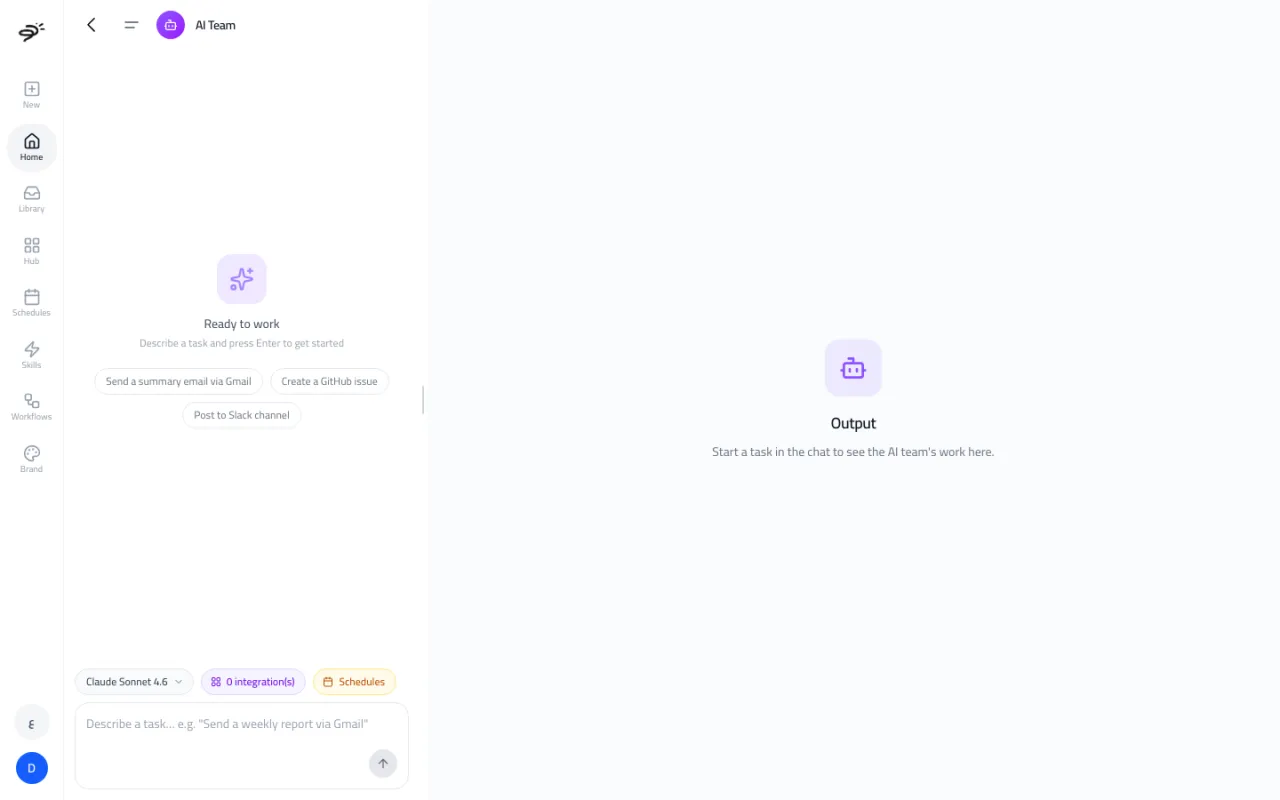
AI Team is an assistant that works inside the apps you connect to Posta. You describe a task in plain words, and it does the steps for you: reading data, writing documents, sending emails, updating sheets, and more. It is also the engine behind workflows and schedules.
You can open AI Team from its card under AI Assistants on the Create tab, or ask in the Create chat ("Send a summary of this week's Shopify orders to my Gmail").
What can it do?
Anything your connected apps allow. Some examples:
- "Send a summary email via Gmail"
- "Pull last month's Google Ads results into a Google Sheet"
- "Post this week's top product to our Slack channel"
- "Create a GitHub issue for the broken checkout button"
- "What were our top 10 products by revenue in Odoo last quarter?"
It works with more than 1,500 apps from the Hub, plus Odoo and Microsoft Dynamics 365 for ERP data.
How do I use it?
- Connect the apps the task needs in the Hub. The integrations button shows how many you have connected.
- Type the task and press Enter.
- Watch each step in the chat. The result shows in the Output panel on the right.
If a task needs an app you have not connected, AI Team tells you which one.
Can it run a task on a schedule?
Yes. Select Schedules to run the task again every day, every weekday, every Monday, every hour, or on your own timing. See Workflows and schedules.
Can I choose the AI model?
Yes. Use the model button. Claude Sonnet 4.6 is the default. You can also pick Claude Opus 4.7, Claude Haiku 4.5, GPT-5.4, GPT-5.4 Mini, or GPT-5.4 Nano.
Does it need a paid plan?
No. AI Team runs on credits, including your 50 free credits. Each step uses a small number of credits based on how much work the AI does.
Last updated September 25, 2026