
Create: The Posta Orchestrator
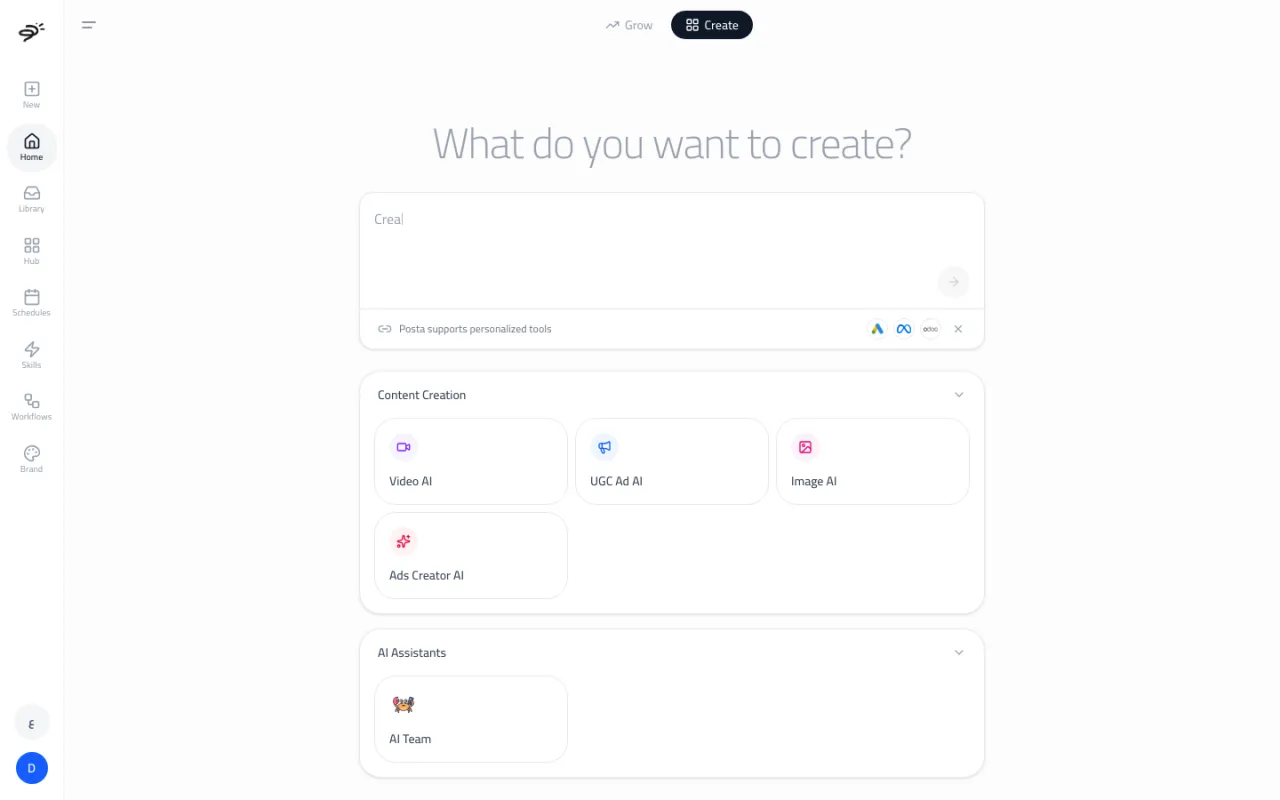
Create is Posta's main chat, also called the orchestrator. You describe what you need in your own words. Create works out which expert should do the job, hands it over, and shows you the result, all in one conversation.
How do I use it?
- Open Home and select the Create tab.
- Type what you need in the box. Be as specific as you like. For example:
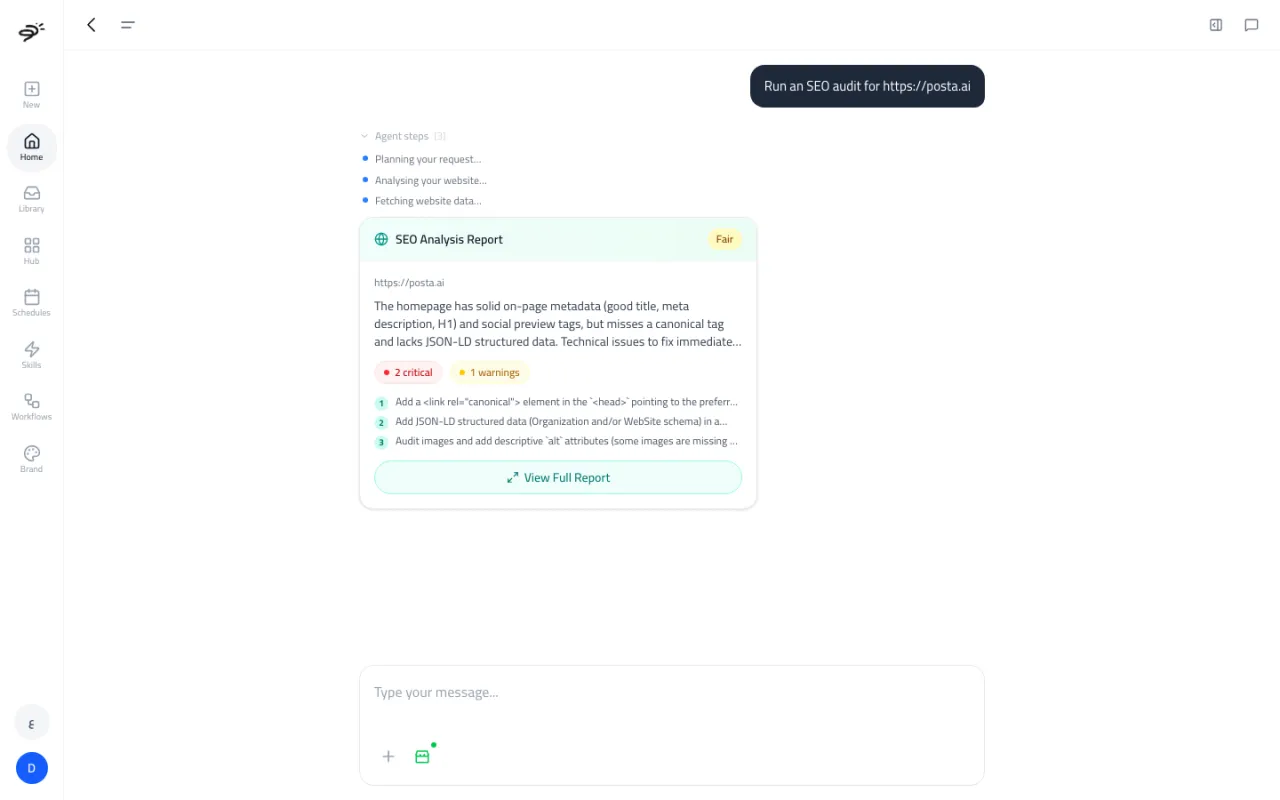
- "Run an SEO audit for https://yourstore.com"
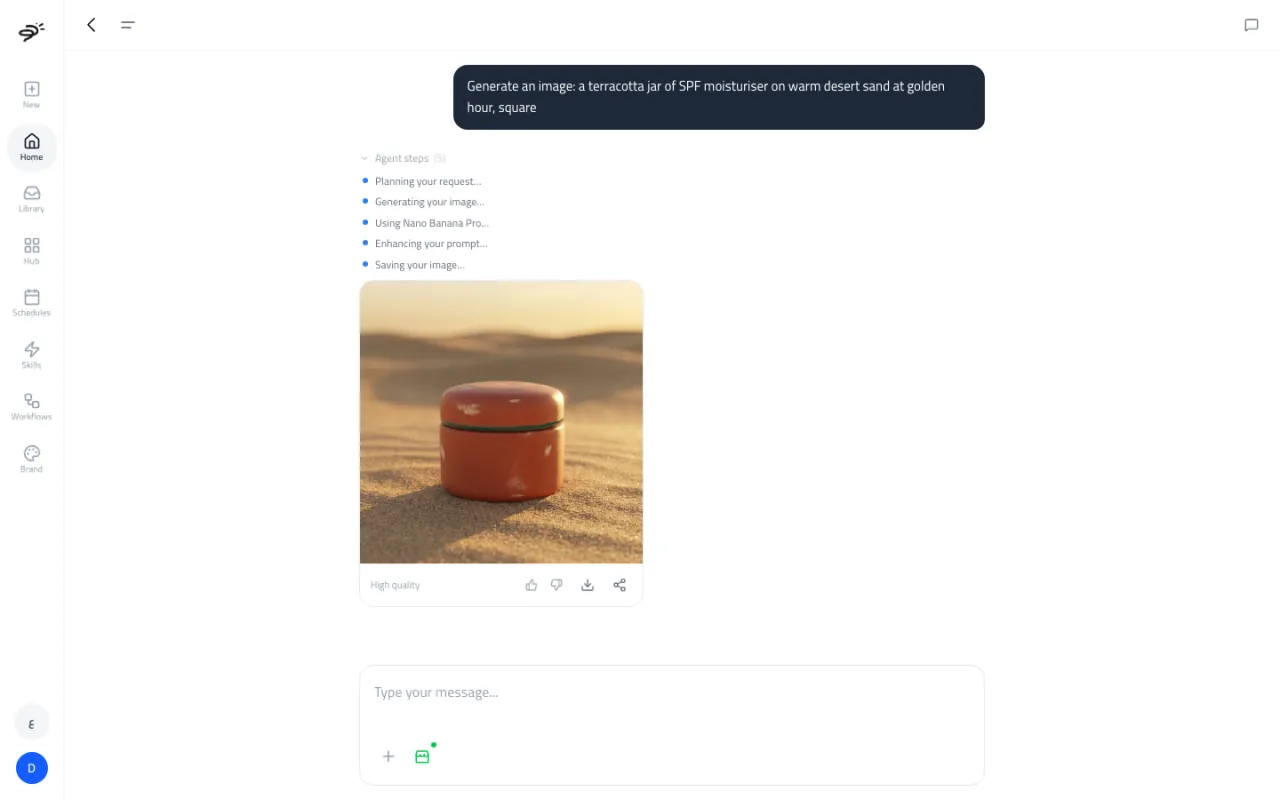
- "Generate an image of our serum bottle on a marble table, soft morning light"
- "Audit my Meta ads for last week"
- "Email me a summary of yesterday's Shopify sales"
- Press the send button. The chat opens and you see each step as Posta works.
What happens after I send a request?
Posta reads your request and picks the right sub-agent. You can follow along in Agent steps, for example "Planning your request", then "Analyzing your website".
The result appears right in the chat:
- Reports (like an SEO audit) show as a summary card with the main problems and a View Full Report button.
- Images show in the chat with buttons to rate, download, and share.
- Videos show a progress state while they render, then play in the chat.
- Questions and answers show as a normal reply.
Some jobs need more choices than a chat message can hold, like picking an actor for a UGC video or picking ad sizes. For these, Create opens the right sub-agent's own screen and fills in what it already knows from your message.
What if my request is unclear?
Create asks a short question instead of guessing. For example, "run an audit" could mean your Meta ads, your Google ads, or your website, so Create asks which one. If you have more than one ad account, it asks which account to use. Answer by tapping an option or typing a reply.
What if I have not connected an account yet?
If the job needs an account you have not connected, like Google Ads, Create shows a Connect card in the chat. Connect it there, then continue.
What can I ask for?
Anything the sub-agents can do:
- Audit an ad account on Meta, Google, Snapchat, Apple Search Ads, or OpenAI Ads (Auditor AI).
- Ask a question about your ad account, like "What was my cost per purchase last week?" (Auditor AI).
- Audit a website for SEO, AI search visibility, or store conversion (SEO/GEO AI).
- Make images, videos, UGC videos, or full ad sets (Image AI, Video AI, UGC Ad AI, Ads Creator AI).
- Run a task in your apps, like Gmail, Google Sheets, Slack, HubSpot, or your ERP (AI Team).
- Plan and launch a Google Ads campaign (Media Buyer AI).
- Ask general marketing questions.
What if I am on free credits?
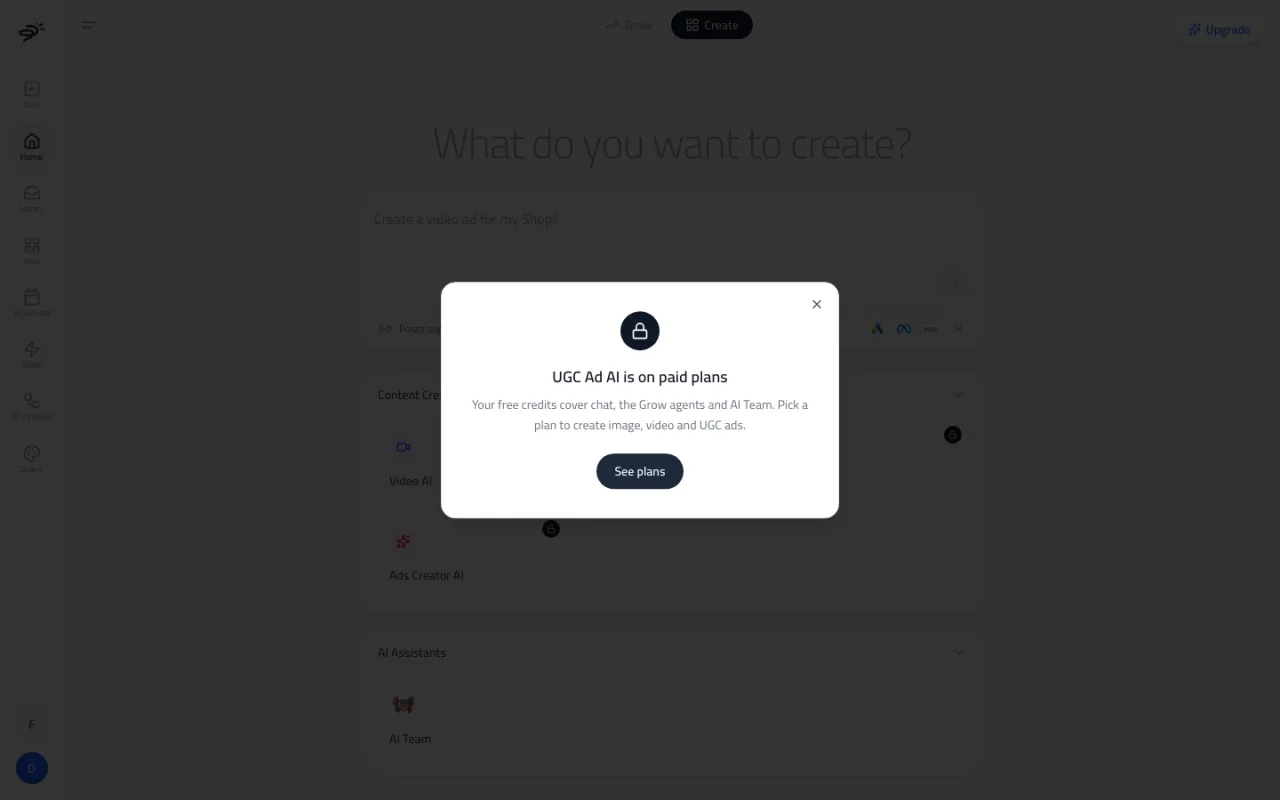
Chat, SEO checks, questions about your ad account, and AI Team all work on free credits. A full ad account audit needs at least 60 credits to start, which is more than the free 50. If you ask for an image, video, UGC video, or ad set, Create shows an upgrade card instead of starting the job. Select See plans to pick a plan. You come back to your chat after you subscribe.
Does Create know my brand?
Yes. Create and every sub-agent read your brand profile on their own. Images and videos use your colors and style, and written content uses your tone of voice.
Last updated September 25, 2026