
Use Posta in Slack
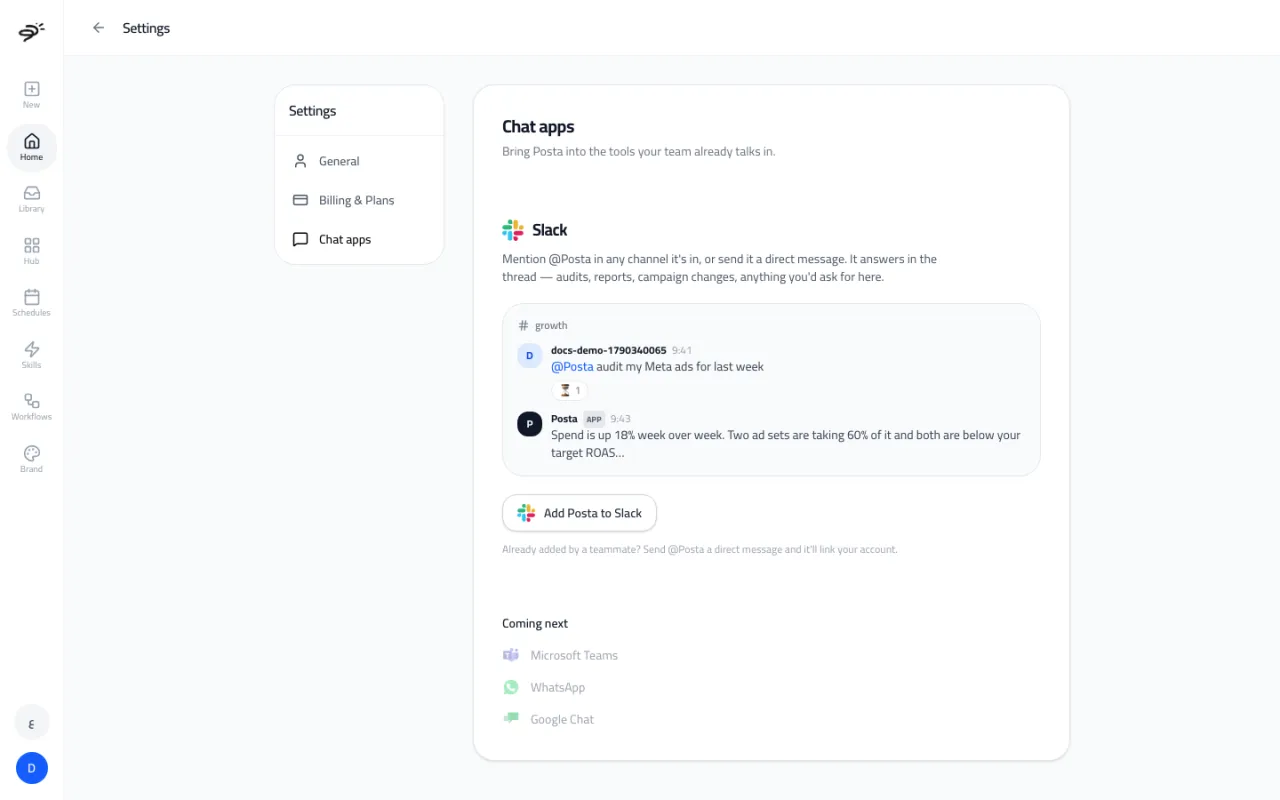
You can talk to Posta from Slack. Mention @Posta in a channel, or send it a direct message, and ask for anything you would ask in the workspace: audits, reports, campaign changes, images, and more. Posta shows it is working and replies in the same thread.
How do I add Posta to Slack?
- Open Settings → Chat apps (or the Slack & chat apps tile in the Hub).
- Select Add Posta to Slack and approve it in Slack.
- Pick the channels Posta should join.
- Send a test message to check that everything works both ways.
You can disconnect Slack from the same page at any time.
My teammate already added Posta. How do I start?
Send @Posta a direct message in Slack. It replies with a one-time link that connects your Slack user to your Posta account. After that, just ask.
What do replies look like?
- A short answer in the thread.
- For images, videos, and reports, a Posta share link. Reports keep their full tables and scores when you open the link.
- Videos take a few minutes, so Posta posts the video in a follow-up message when it is ready.
- If something is missing, like an ad account or credits, Posta tells you what to do and gives you a button to fix it.
What if my request is missing details?
Posta asks. For example, if you ask for an audit without saying which account or which dates, it asks for them before it starts, so it does not spend credits on the wrong thing.
Which other chat apps are coming?
Microsoft Teams, WhatsApp, and Google Chat are coming next.
Last updated September 25, 2026