
Plans and credits
Posta uses credits. Each agent uses some credits when it works. You get credits from your plan each month, and every new account starts with 50 free credits.
What are the plans?
| Plan | Price | Credits |
|---|---|---|
| Free | $0 | 50 credits, once. They never expire. |
| Standard | $19.99 a month | 1,900 credits every month |
| Pro | $99.99 a month | 11,000 credits every month |
See Pricing for the full list of what each plan includes. You can cancel a paid plan at any time.
What can I do for free?
Your 50 free credits work with:
- the Create chat and the Media Buyer
- Auditor AI questions about your ad accounts
- SEO/GEO AI website and store audits
- AI Team, workflows, and schedules
- your brand profile
Some jobs need more than 50 credits to start. A full ad account audit and a new campaign plan each need at least 60 credits, so you need a paid plan for those.
What needs a paid plan?
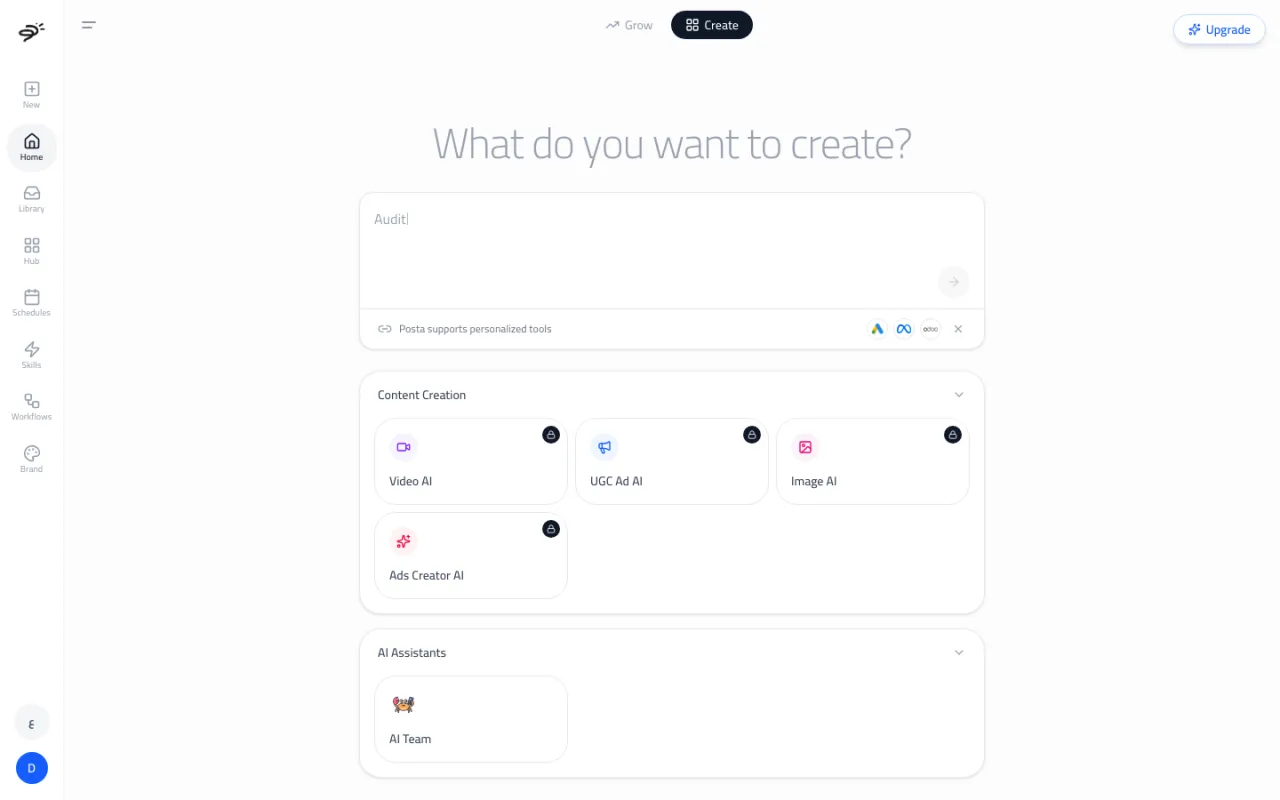
The four content creation agents need a Standard or Pro plan: Image AI, Video AI, UGC Ad AI, and Ads Creator AI. On free credits their cards show a lock. If you ask for an image or video in the Create chat, you see an upgrade card instead.
How do I upgrade?
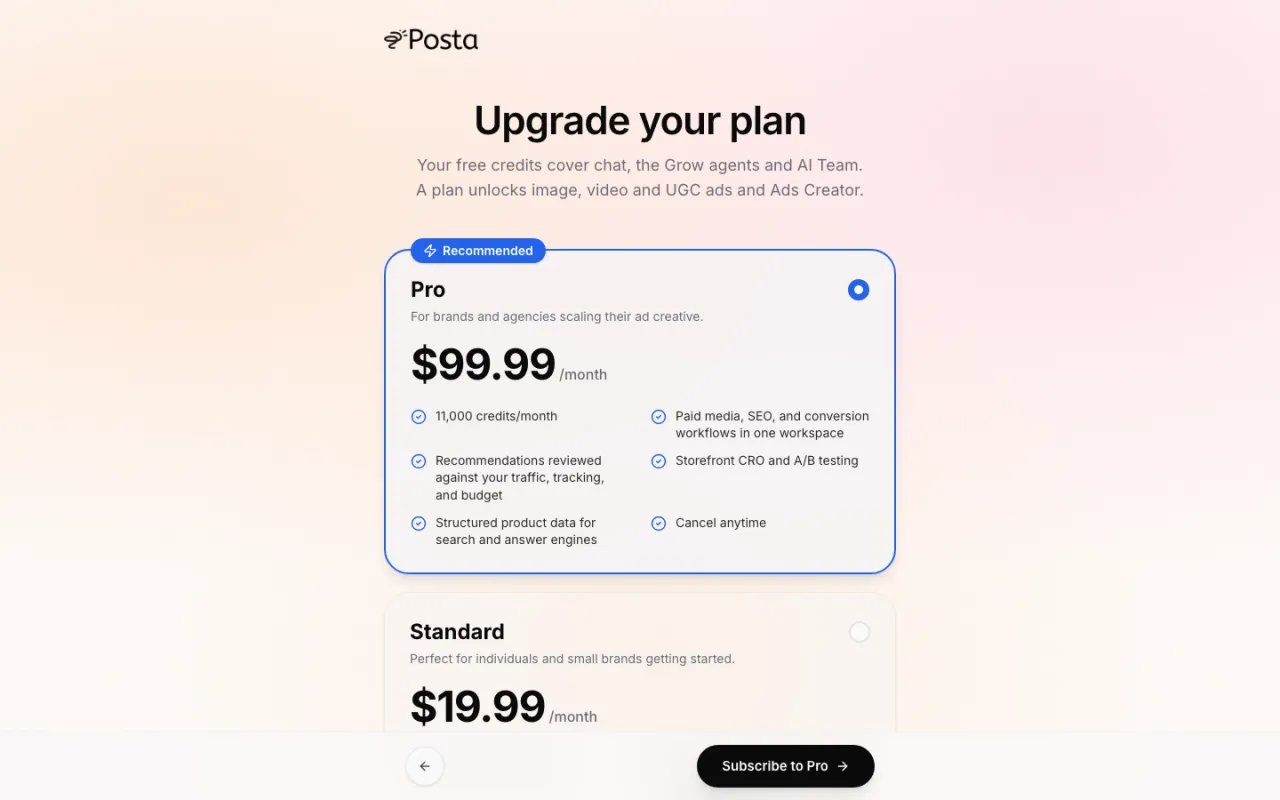
Select Upgrade at the top of the workspace, See plans on any upgrade card, or Upgrade Plan in Settings → Billing & Plans. Pick Pro or Standard and pay with Stripe's secure checkout. Your new credits and features are ready as soon as the payment goes through, and Posta takes you back to where you were.
How many credits does each job use?
| Job | Credits |
|---|---|
| Chat replies and AI Team steps | Based on how much work the AI does. Usually a few credits. |
| Question about an ad account | At least 30 |
| Full ad account audit | At least 60 |
| New campaign plan (Media Buyer) | At least 60 |
| Image | 1 to 43 per image, by model and size. See Image AI. |
| Video | 7 to 95 per second, by model. See Video AI. |
| UGC video | 20 per second |
"At least" means Posta checks you have that many credits before it starts. The final cost depends on how much work the job took.
What happens when I run low?
Before a job starts, Posta checks your balance. If you do not have enough, it tells you and shows the fix:
- On Standard: upgrade to Pro, or buy a top-up.
- On Pro: buy a top-up.
- On free credits: pick a plan.
- Plan canceled: reactivate it.
Can I buy more credits?
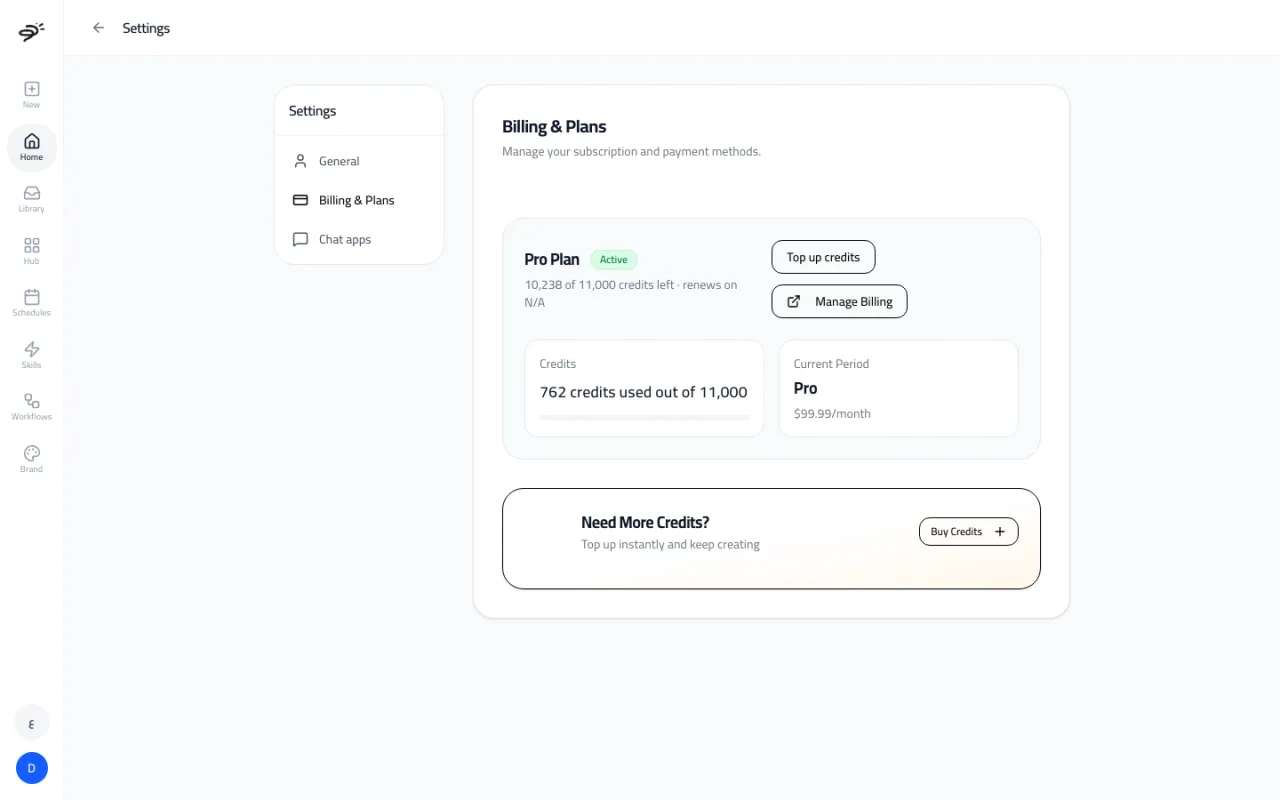
Yes, on a paid plan. Open Settings → Billing & Plans and select Top up credits or Buy Credits. Top-ups cost $1.10 per 100 credits and are added right away.
Do unused credits roll over?
No. Plan credits refresh at the start of each billing month. Credits you did not use in that month do not carry over. Free credits never expire.
What if a job fails?
If an image, video, or UGC video fails, the credits go back to your balance automatically. If Posta is very busy and cannot start a job, it tells you, and your credits are not used.
How do I change or cancel my plan?
Open Settings → Billing & Plans and select Manage Billing. From there you can switch plans, update your card, see invoices, or cancel. If you cancel, you keep your plan until the end of the month you paid for.
Last updated September 25, 2026