
Sub-agent
Image AI
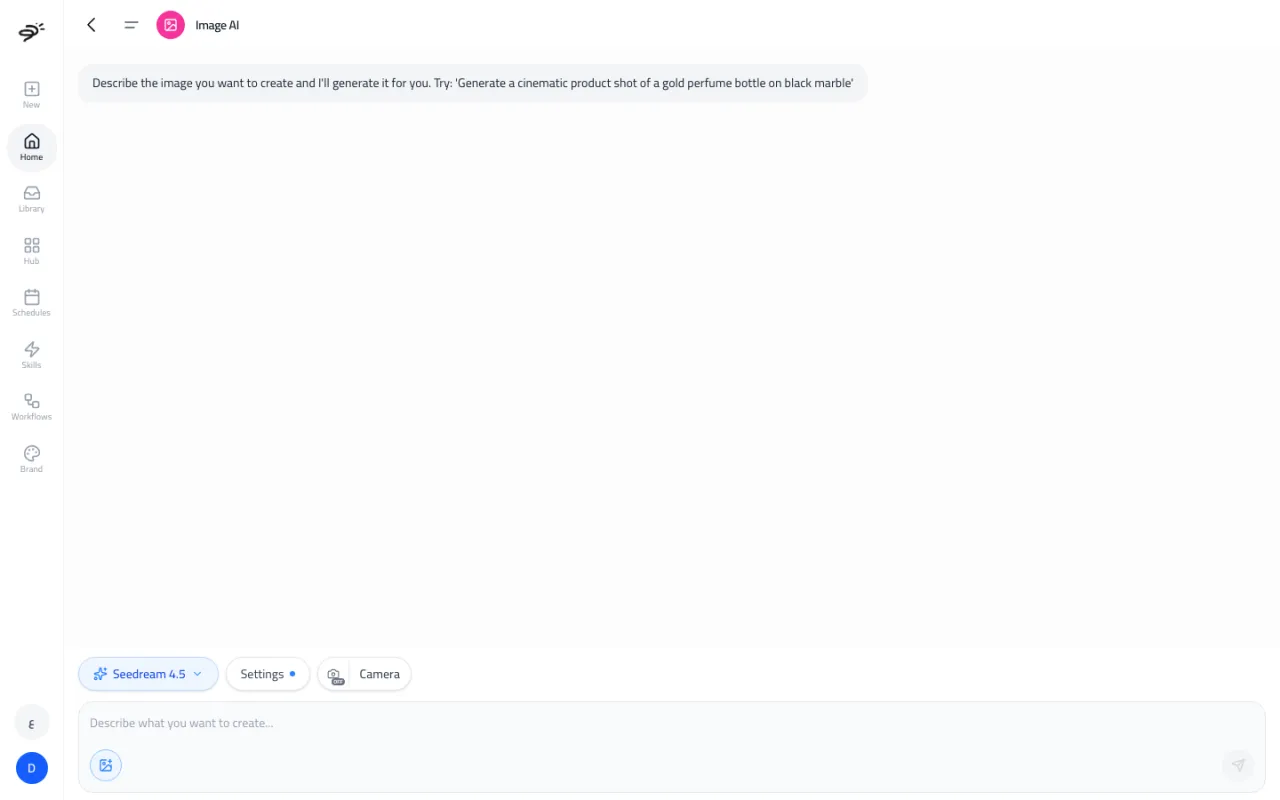
Image AI makes images from a description. Use it for product shots, ad visuals, social posts, and backgrounds. It reads your brand profile, so the images match your colors and style.
You can reach it by asking in the Create chat ("Generate an image of our candle on a wooden shelf") or by opening Image AI from its card on the Create tab.
Image AI needs a Standard or Pro plan. See Plans and credits.
How do I make an image?
- Describe the image. Say what is in it, where it is, the light, and the mood. For example: "A gold perfume bottle on black marble, soft side light, dark background."
- Optional: attach a reference image, like a photo of your product, with the image button.
- Optional: pick a model and open Settings to set the shape (aspect ratio) and size.
- Send. The image appears in the chat in a few seconds.
Each image has buttons to rate it, download it, share it, and Regenerate it with the same settings. Every image is also saved to your Library.
What settings can I change?
- Model. Leave it on Auto-select and Posta picks one for you, or choose a model yourself (see the table below).
- Aspect ratio. For example 1:1 (square), 9:16 (story), 16:9 (wide), 4:5 (feed), and more. The choices depend on the model.
- Resolution. 1K, 2K, or 4K, depending on the model.
- Quality. Low, medium, or high (GPT Image 1.5 only).
- Camera. Turn it on to choose a film camera, a lens, and a focal length. This changes the look of the image, like a real photo shoot.
How many credits does an image use?
Each image uses credits based on the model and the size. Failed images are not charged.
| Model | Credits per image |
|---|---|
| Z-Image Turbo, P-Image, HiDream Fast, FLUX.2 Klein 4B | 1 |
| Imagen 4 Fast, Imagen 3 Fast, Grok Imagine, Qwen Image | 3 |
| Seedream 4, Wan 2.7 Pro, Ideogram 3 Turbo | 4 |
| Seedream 4.5, Seedream 5 Lite, Recraft V4, Imagen 4, Nano Banana Flash | 5 |
| FLUX.2 Pro | 4 (1K) or 6 (2K) |
| Imagen 3 | 7 |
| Imagen 4 Ultra | 8 |
| FLUX.2 Flex | 8 (1K) or 16 (2K) |
| FLUX.2 Max | 10 (1K) or 14 (2K) |
| Nano Banana 2 | 11 (1K), 15 (2K) or 22 (4K) |
| GPT Image 1.5 | 2 (low), 7 (medium) or 19 (high) |
| Nano Banana Pro | 22 (1K or 2K) or 43 (4K) |
Tips for better images
- Be specific. "A red running shoe on wet asphalt at night, neon reflections" works better than "a shoe".
- Add a reference photo of your real product when you want it to look the same.
- Ask for changes in the same chat, like "make the background lighter". Posta remembers the image you are working on.
Last updated September 25, 2026